payment · Updated 14 August 2026
How to Pay in China in 2026: Alipay & WeChat Setup for Foreign Cards
China is nearly cashless. Here's the 2026 step-by-step to link your foreign Visa/Mastercard to Alipay and WeChat Pay before you fly — plus what to do when they don't work.
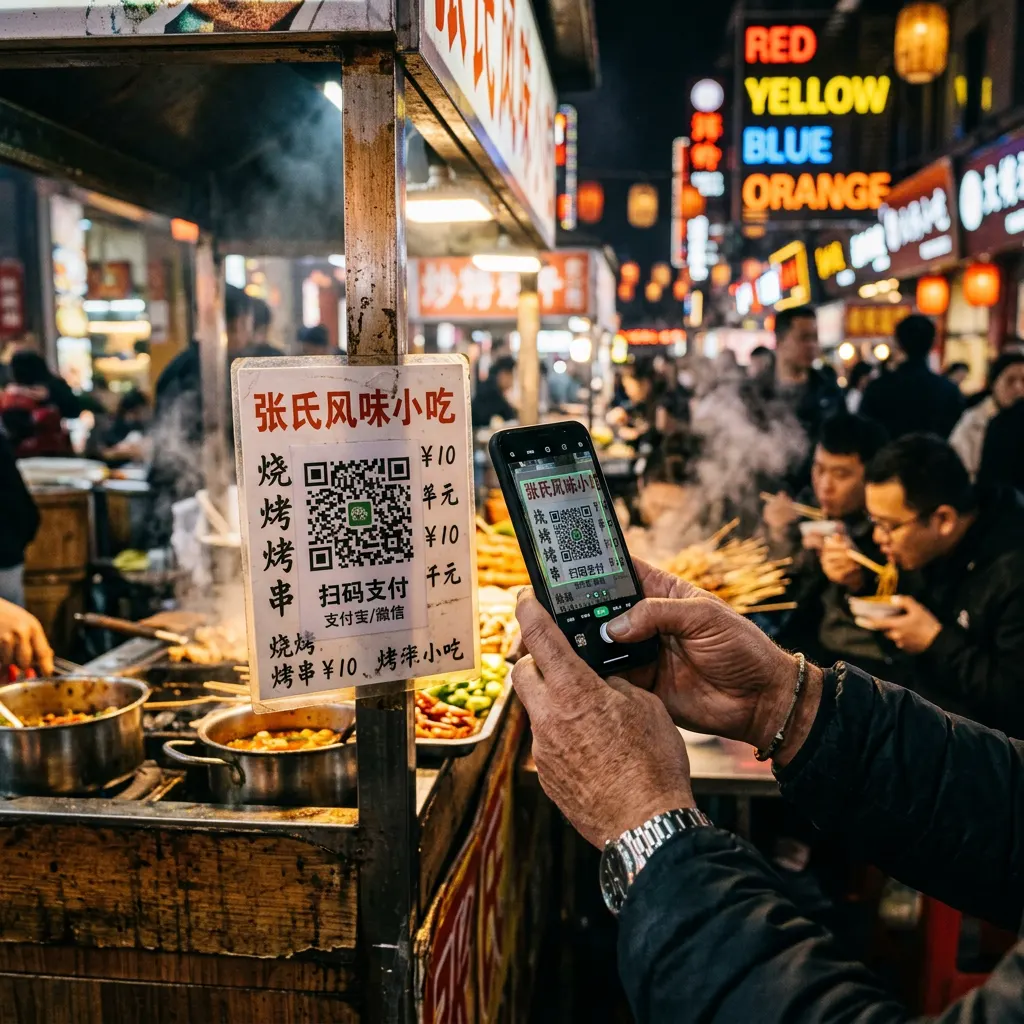
Walk into any shop in Beijing or Shanghai and you’ll see a single QR code at the counter. No cash, no card machine — just that square. The good news: since 2023-2024, foreign tourists can use Alipay and WeChat Pay with their normal Visa or Mastercard. Here’s the 2026 reality, in practice.
✅ Fact-checked: August 2026.
Why you can’t just use your card
Foreign Visa/Mastercard only works at international hotels and some big chains. The moment you want a dumpling at a street stall, a museum ticket, or a taxi, it’s QR code or nothing. Carry ¥200-400 in cash as backup, but plan on paying by phone.
The big picture: two apps, one goal
| Alipay | WeChat Pay | |
|---|---|---|
| Best for | Payments, taxis, bike rental | Payments + messaging + mini-apps |
| Foreign card support | ✅ Visa/Mastercard (also Amex/Discover in some regions) | ✅ Visa/Mastercard |
| Typical foreigner experience | Smoothest, most tourist-friendly | More friction but needed for some services |
| Language | English UI available | English UI available |
Recommendation: Set up both, but use Alipay as your daily driver. Many vendors only display Alipay or only WeChat — having both avoids awkward moments.
Set up Alipay (15 minutes, before you fly)
- Download Alipay from the App Store / Google Play.
- Register with your international phone number (verify the SMS code).
- Open Me → Bank Cards → Add. Enter your Visa/Mastercard details. Alipay will charge and refund a small verification amount (usually ~$0.01-1) — a normal step.
- Open Me → Settings → Language and switch to English if needed.
- Done. You can now scan vendor QR codes to pay. In-app, the payment is converted to your card currency.
Tips that make Alipay painless
- For amounts above ~¥200, some small merchants can’t take foreign-linked cards in one go. Pay in two smaller transactions, or use cash.
- Enable “mini-program” authorizations when Alipay prompts you (e.g. for ride-hailing apps) — it’s safe and needed for the service to work.
- Tourist card / prepaid option: Alipay’s Tour Card can be topped up via a foreign card and used like a Chinese balance — useful if your bank declines direct foreign-card charges.
Set up WeChat Pay
- Download WeChat, register, verify SMS.
- Me → Services → Wallet → Bank Cards → Add.
- Link your Visa/Mastercard and verify.
- Be aware: WeChat sometimes asks for a Chinese identity verification on first use. If it does, use Alipay for a while and retry later — the prompt appears less often in 2026.
What to do if a payment fails
Nine times out of ten, it’s one of these:
- Merchant limit on foreign cards (>¥200 single charge) — split the payment or use cash.
- Your bank flagged it — call your bank, ask them to allow China transactions, enable contactless/SMS verification.
- VPN-less network hiccup — retry, or toggle mobile data vs. WiFi.
- App not updated — update to the latest version; foreign-card support is in recent releases.
Emergency fallback: carry cash. ATMs at international airports and Bank of China branches accept foreign cards (daily withdrawal limit ~¥2,000-10,000 depending on your bank). Change leftovers back at the airport on departure — foreign currency exchange booths exist in major cities.
Subway, taxis, and ride-hailing
- Subway/metro: Beijing & Shanghai metro accept Alipay QR directly at the gates. In many cities, Alipay → “Transport” → get a metro QR code.
- Taxis: flagging a taxi and paying via QR works. For hailing, use Didi (mini-program inside Alipay, English available) — link the same Alipay payment.
- Bike sharing: Hellobike / Meituan bikes via Alipay mini-programs. Deposit usually free with foreign cards.
The VPN / network reality (short version)
Google, WhatsApp, Instagram, and most Western apps don’t work on Chinese mobile networks without a VPN. Airport WiFi and many hotels are heavily filtered. You don’t need to worry about “hacking” — you just need eSIM data (e.g. Nomad, Airalo) or a travel SIM that routes through Hong Kong, which sidesteps most blocks. Do NOT set up Alipay while a VPN is active — some banks flag that. Set it up at home, then travel.
Your pre-flight checklist
- Alipay installed, English UI, foreign card linked & verified
- WeChat Pay installed, card linked
- eSIM / travel SIM with data sorted (do this at home)
- ¥200-400 cash (airport ATM if you must)
- Backup: printed hotel address in Chinese (for taxis)
Want the full Beijing setup with screenshots and exact menu paths? The Beijing 240-Hour Transit Guide includes a step-by-step payment setup that takes you from zero to scanning QR codes in 20 minutes.
Planning a trip? We've got you covered.
Get the Beijing 240-Hour Transit Guide — a complete, fact-checked playbook with day-by-day itineraries, payment setup and phrase sheets. One payment, lifetime updates.
Prefer email? Get the free starter guide:
Email form coming online in 5 minutes.
Setup: register a free Beehiiv account, copy the embed form action URL, and set it as PUBLIC_EMAIL_ENDPOINT in your .env file. Until then, grab the guide on the Shanghai 240-Hour Transit Guide page .